


Enter Password
Led the end-to-end UX/UI design of an AI-powered analytics platform that enables non-technical users to explore data, generate visualizations, and share insights without requiring technical expertise.
Oct 2022~Dec 2022
UX/UI Designer
datagusto
Figma
Miro
Zoom
Notion
Businesses increasingly rely on data to make decisions, yet many employees lack the technical expertise needed to use traditional BI tools effectively. Traditional Business Intelligence (BI) tools often required users to understand database structures, filtering logic, and reporting workflows.
For non-technical business users, even simple reporting tasks became time-consuming and error-prone. The challenge was to simplify report creation while preserving the flexibility needed for more advanced analysis.
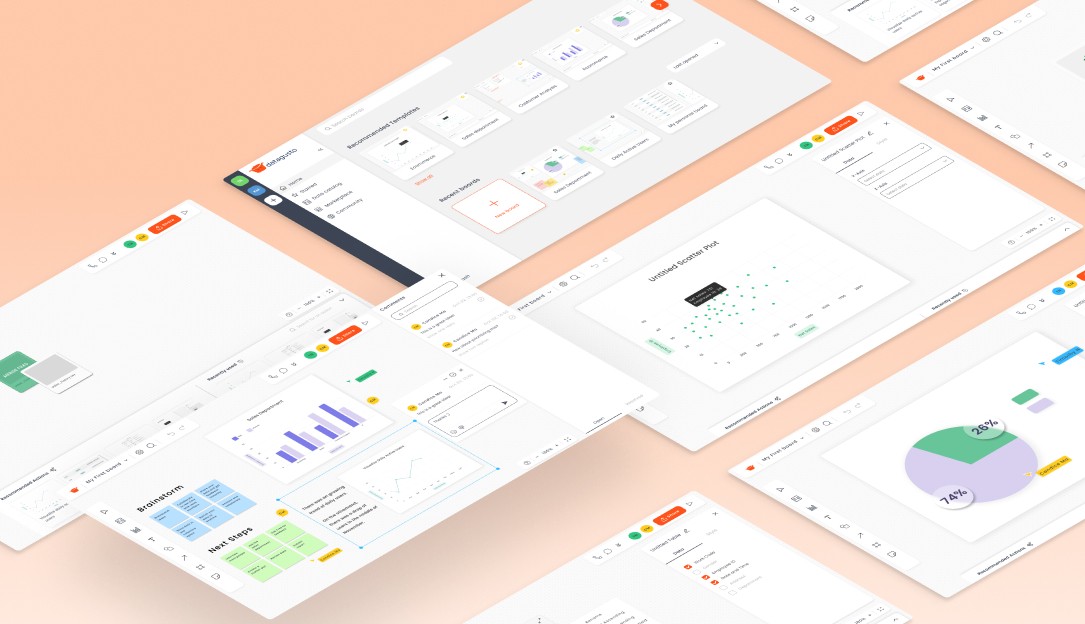
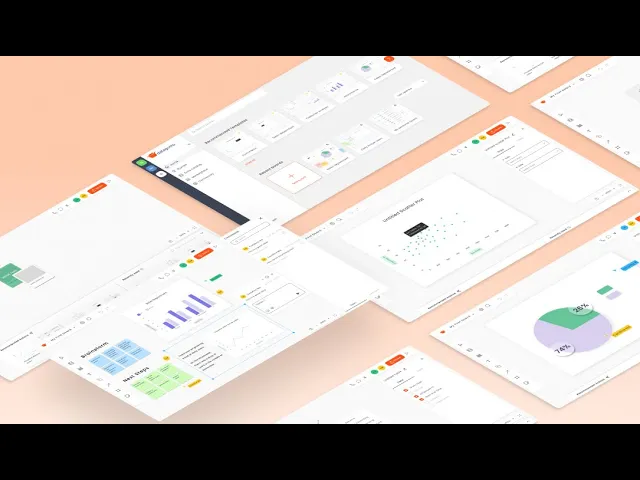
Designed an AI-powered platform that streamlines report creation by helping users generate visualizations and insights from their data. The experience reduces the effort required to analyze information while supporting collaboration across technical and non-technical teams.
To establish a shared direction, I collaborated with the CEO and CTO to define the product vision, business requirements, technical constraints, and a delivery plan aligned with an upcoming investor pitch.
As the sole UX/UI designer, I translated these discussions into a structured design process by creating a project timeline, establishing workflows, and conducting a competitor analysis to identify opportunities and inform the product direction. This alignment helped keep stakeholders synchronized throughout the project while enabling rapid iteration under a tight timeline.
To better understand users' existing workflows and pain points, the Datagusto team conducted user interviews. I collaborated on the research by helping shape the interview questions and ensuring they remained open-ended to minimize confirmation bias.
Key Insights Revealed:
Users lacked confidence in selecting the right data for analysis.
Collaboration and sharing insights were cumbersome.
Existing workflows required more time and technical knowledge than users expected.

"It is time consuming to create ways to display data.”
- D Japan, 20s

"I’m unsure how to achieve the data analysis I need."
- R, Japan, 30s

"My boss often asks me to share data, and manually sharing the Excel file every time can be challenging."
- A, Japan, 20s

"I would like better analysis results, but I can't afford the cost or time"
- M, 40s, Japan
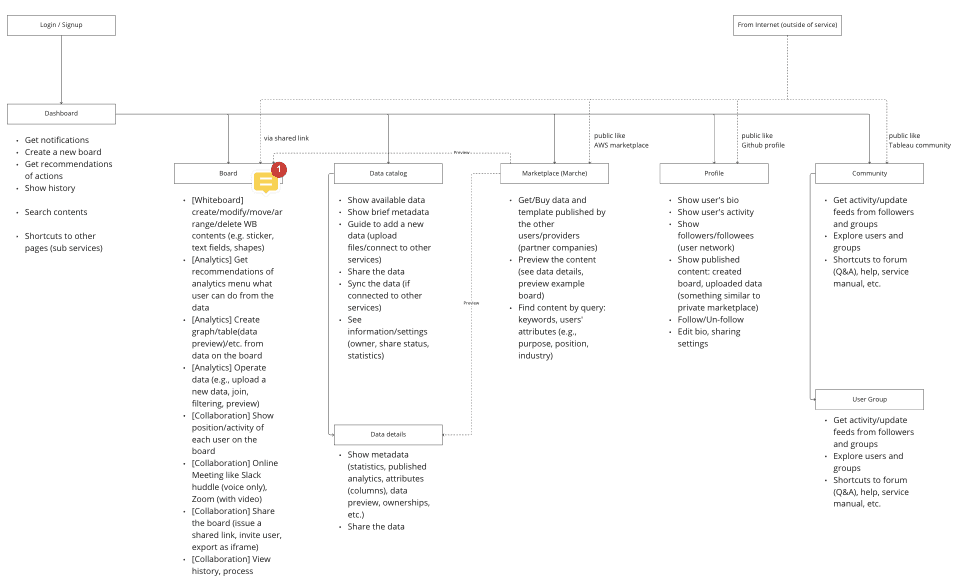
Working closely with the CTO, we mapped the platform's information architecture to define the relationships between core features, user journeys, and AI-powered workflows. Establishing this structure early helped align the product vision, create an intuitive navigation structure and create a shared foundation for design and development.
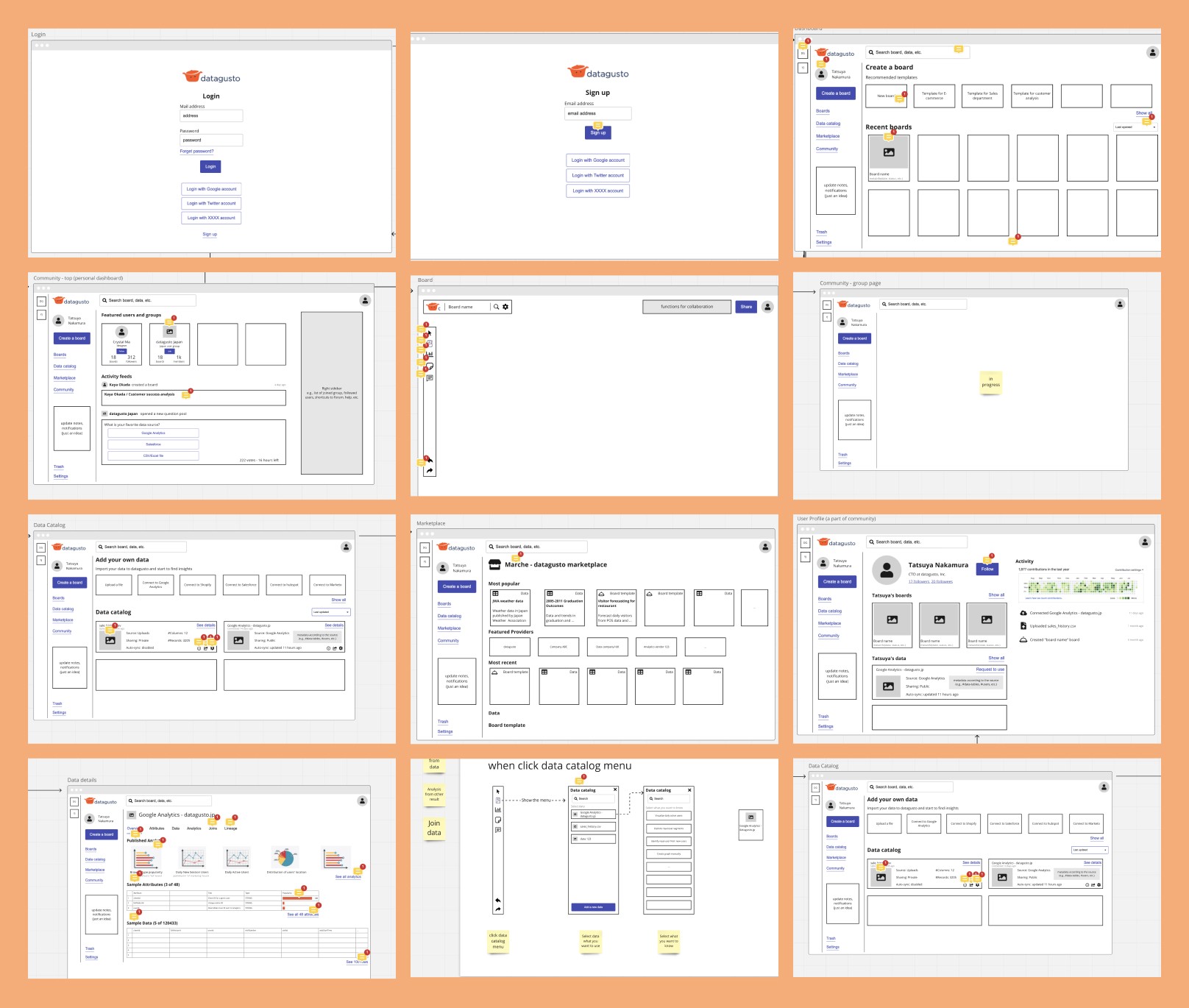
Early wireframes explored layouts and interaction patterns for navigating complex analytics workflows. Keeping the designs intentionally low fidelity encouraged feedback on information architecture, task flow, and usability before investing in visual design.
Initial wires
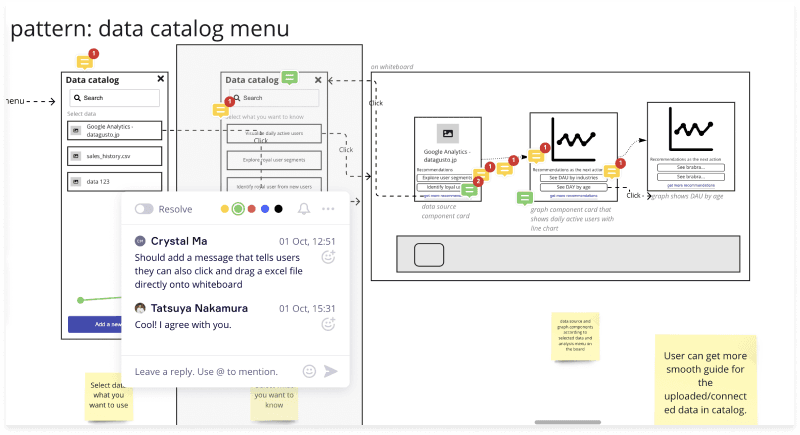
Collaborating with CTO to improve initial wires.
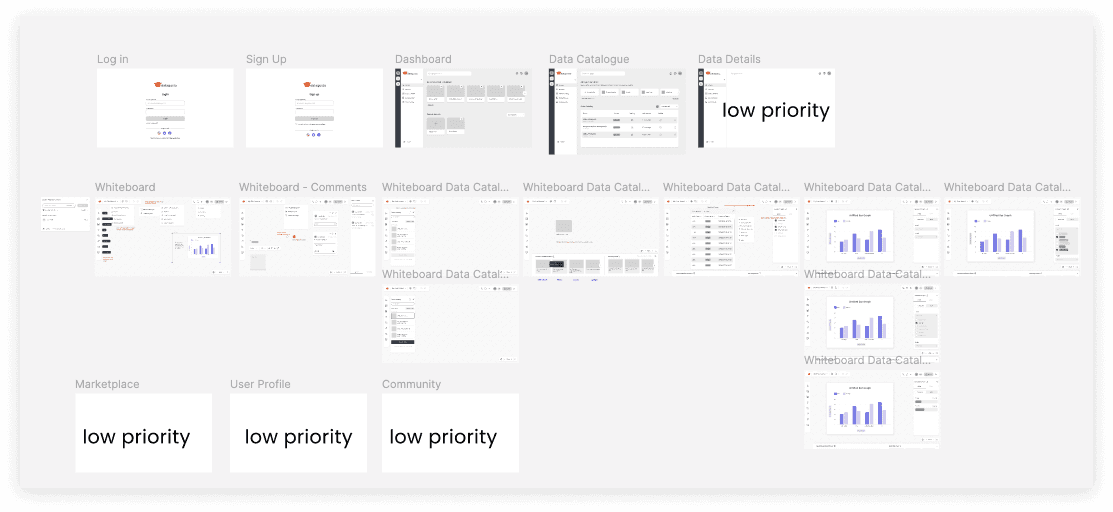
With the overall workflow validated, the next iteration focused on refining layouts, organizing functionality, and improving the overall flow before moving into visual design. Working within a tight delivery timeline, we also reassessed the product scope, prioritizing the core analytics experience while deferring lower-priority features, such as the marketplace, to future releases.
Some of the changes made low-fi to mid-fi stage.
Screenshot of part of the Figma board for Mid-fi screens.
After validating the workflows, I refined the interface through multiple visual iterations, strengthening brand colors, hierarchy, consistency, and usability. The comparison below highlights how the experience evolved from low-fidelity concepts to the final product.
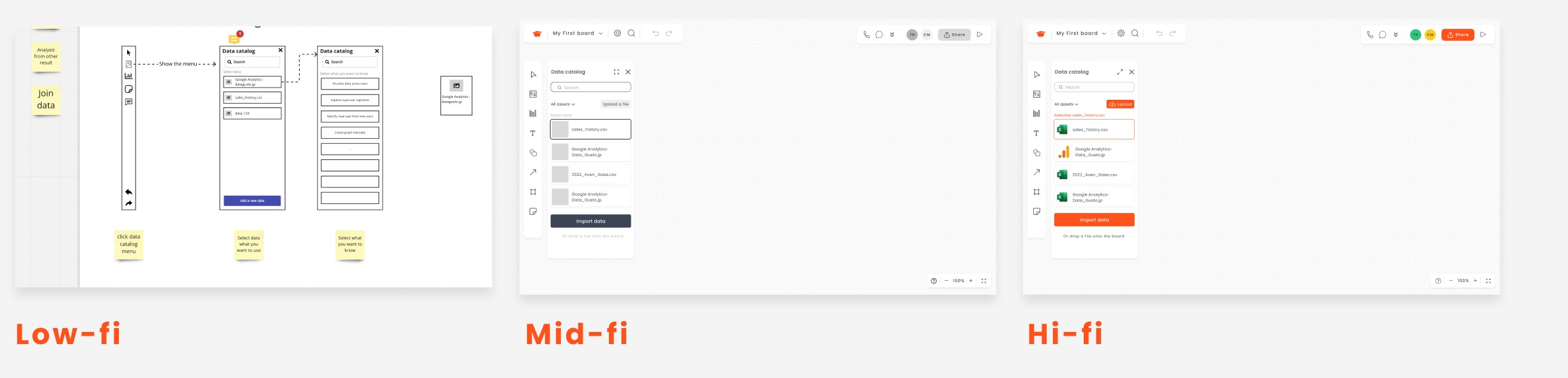
Evolution from low- to mid- to high-fidelity across a single screen.
To define the MVP’s core experience, I mapped two primary user flows representing the platform’s most critical journeys: an end-to-end journey from onboarding to data visualization, and a focused workflow for creating bar charts. As the primary user journeys for the MVP, these flows aligned stakeholders on key interactions and served as a blueprint for design and development.
End-to-end New User Data Visualization
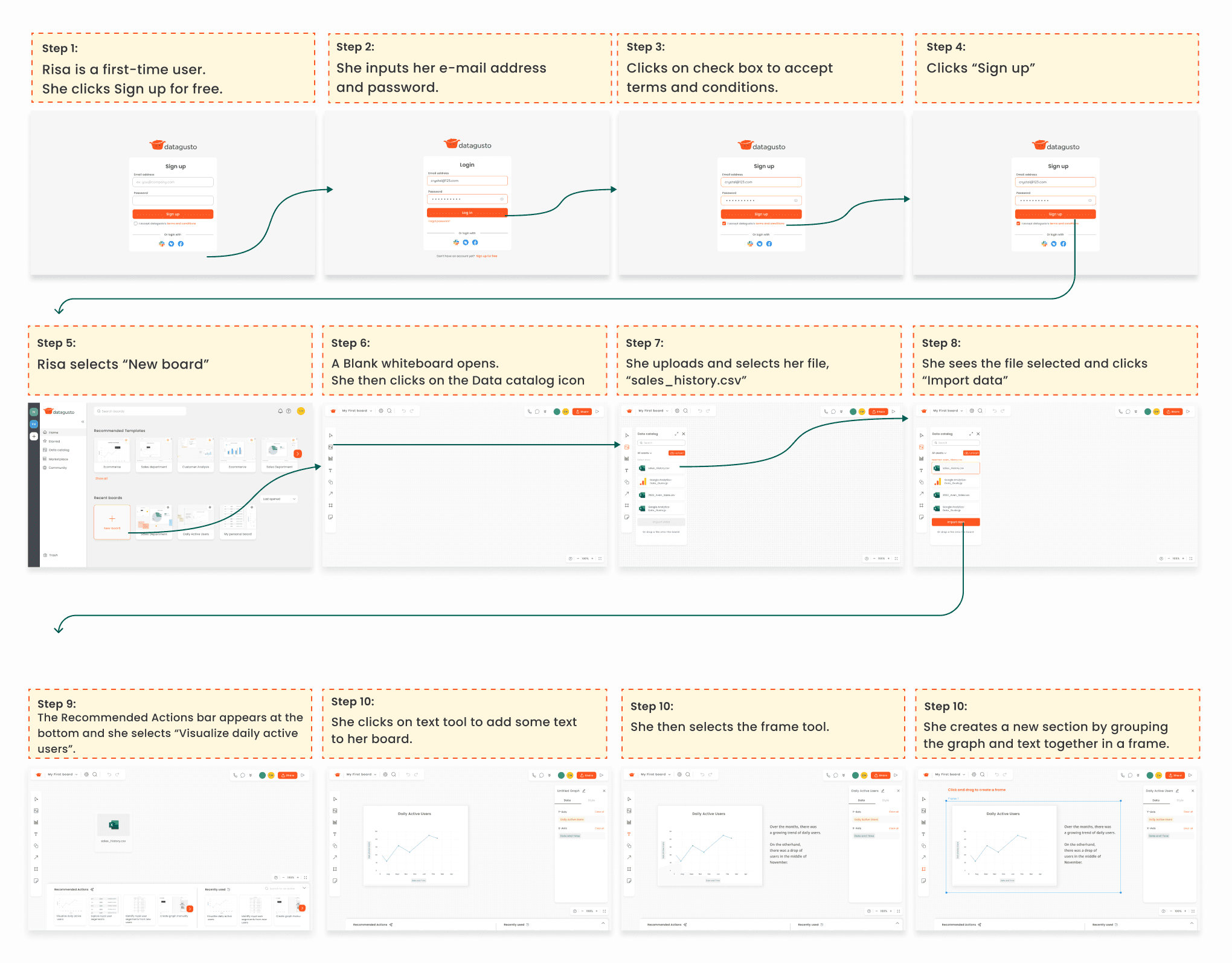
Bar Graph Flow
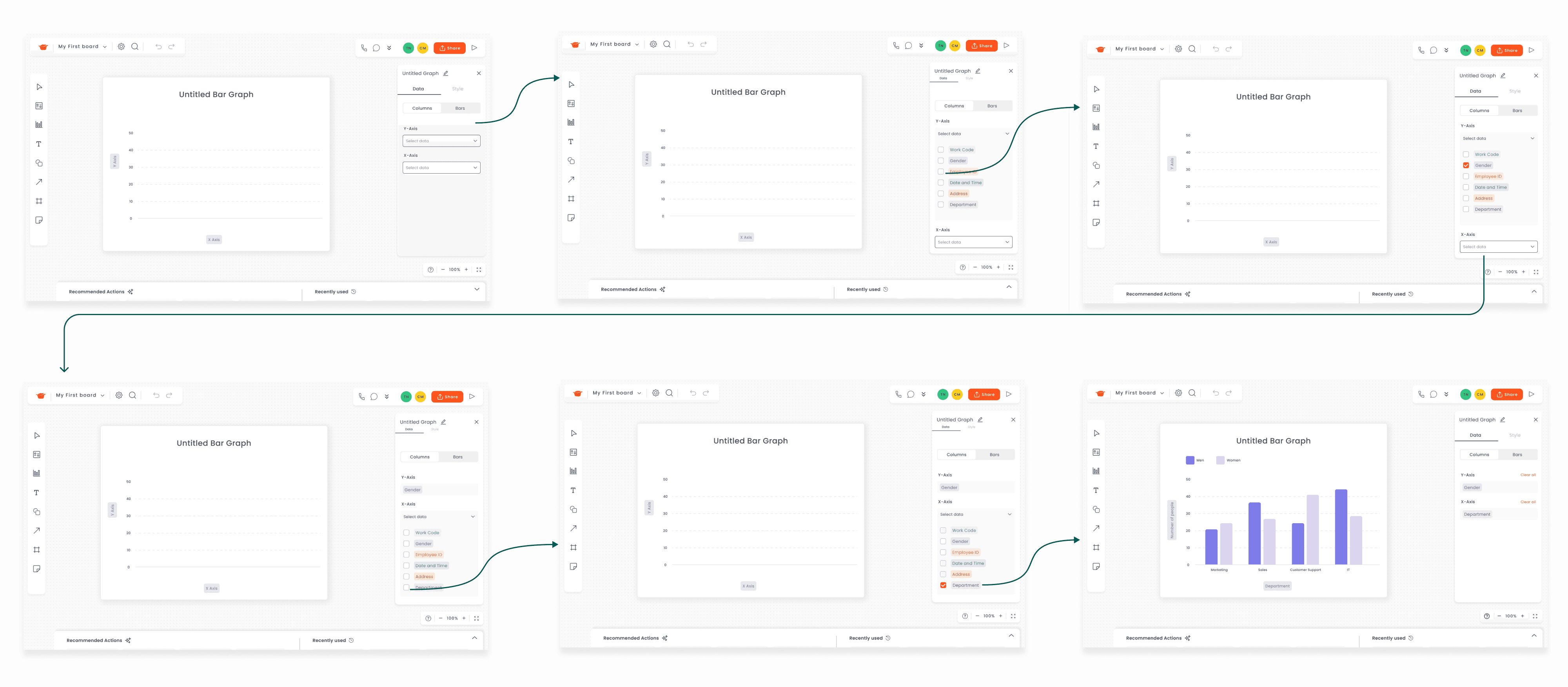
I developed high-fidelity prototypes for the two core user flows to demonstrate the intended interactions and functionality before development. With a tight delivery timeline, user testing was deferred to a subsequent phase, and some interactions were simplified for prototyping. The prototypes were then handed off to the development team as a reference for implementation.
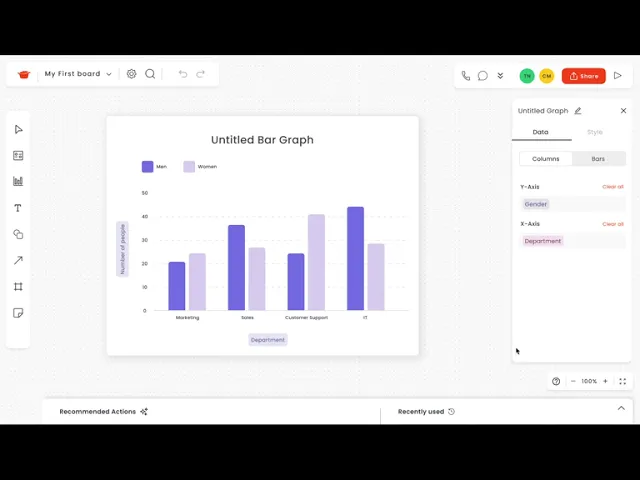
Designing for non-expert users reinforced the importance of making data analysis approachable rather than assuming prior technical knowledge. User interviews revealed that tools like Excel could feel intimidating, highlighting an opportunity to simplify the experience without removing analytical capabilities.
A key challenge was translating an evolving product vision into a clear product experience. As the sole UX/UI designer, I established the design process, defined key workflows, and facilitated stakeholder alignment to keep the team moving toward a shared direction.
I also navigated differing expectations around visual design, introducing a more modern interface while staying within existing brand guidelines and stakeholder expectations.
What I would improve
With more time, I would have strengthened the research phase by developing a more structured interview framework and expanding the participant pool. This would have helped us identify clearer patterns across user needs and validate assumptions before moving into design.
© 2026 Crystal Ma. All rights reserved.