
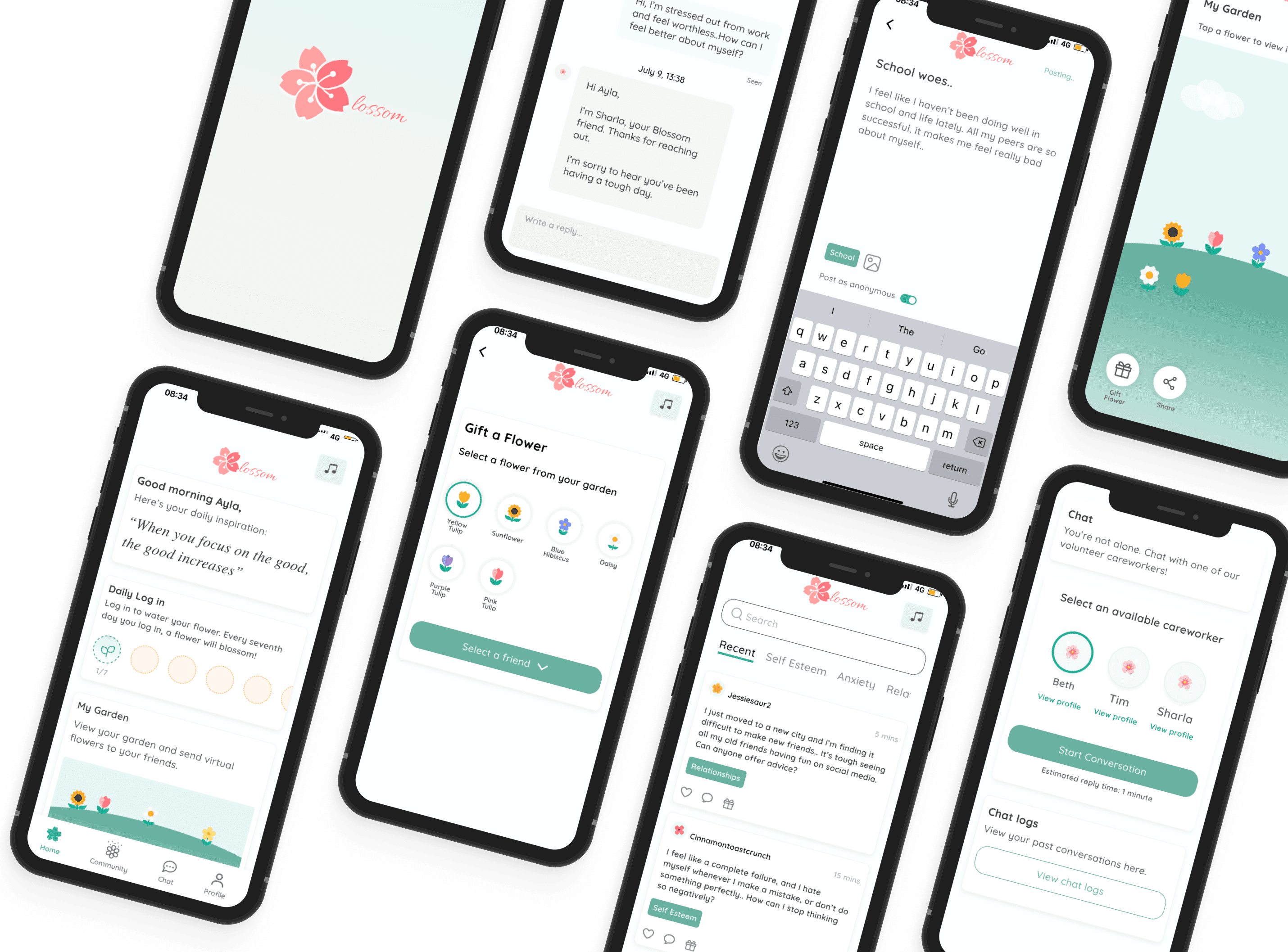
Created a user-centered mental health app that encourages help-seeking through low-pressure interactions and community-driven support.
2022, ~6 weeks
UX/UI Designer
N/A, Concept Project
Figma
Whimsical
Otter.AI
Notion
Procreate
Photoshop
Low self-esteem affects a large portion of the global population and is linked to serious outcomes such as poor mental health, reduced academic achievement, and increased risk of suicide. Despite its impact, it remains highly stigmatized, and access to in-person support is often limited. The challenge was to design a solution that provides accessible, stigma-free support while encouraging users to engage with their mental well-being.
Designed an end-to-end mental health app that enables users to express themselves through a supportive community forum and real-time chat with volunteer care providers. To encourage positive engagement, the app incorporates a lightweight reward system where users can collect and share virtual flowers.
First, I analyzed a range of mental health apps to identify common patterns, strengths, and gaps in existing solutions. I also explored adjacent platforms such as YouTube and Spotify, which provide mental health support through content, to understand alternative approaches to engagement and accessibility.
Key Insights
Most apps rely on calming visual styles, often using blue and pastel tones
Monetization is common, with few fully free solutions available
Some apps offer comprehensive support (e.g., fitness, journaling, meditation), while others focus on a single core feature
Content is typically organized into categories (e.g., anxiety, confidence) to support navigation and personalization
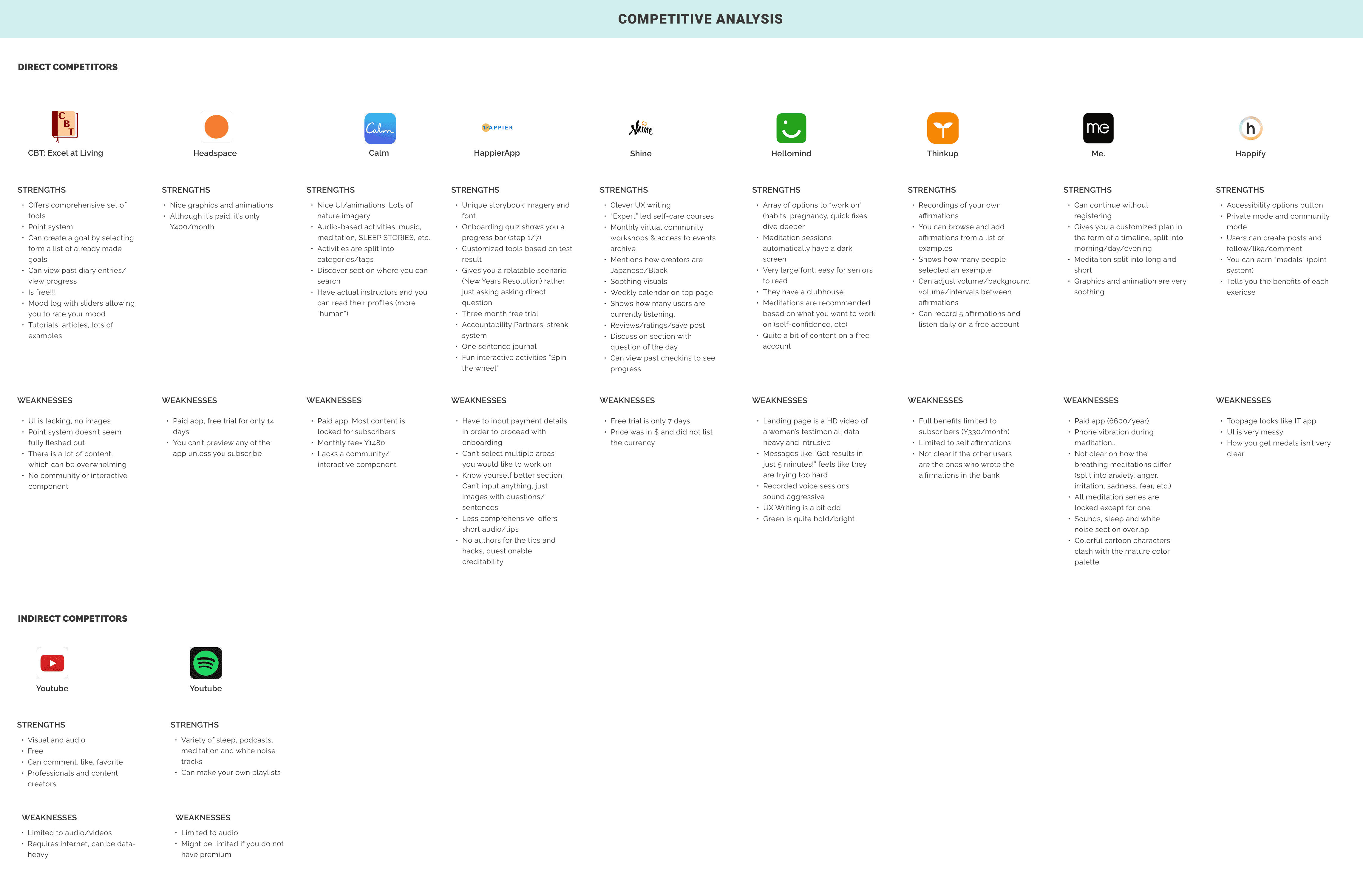
Overview of competitor apps and key UX patterns across the mental health space.
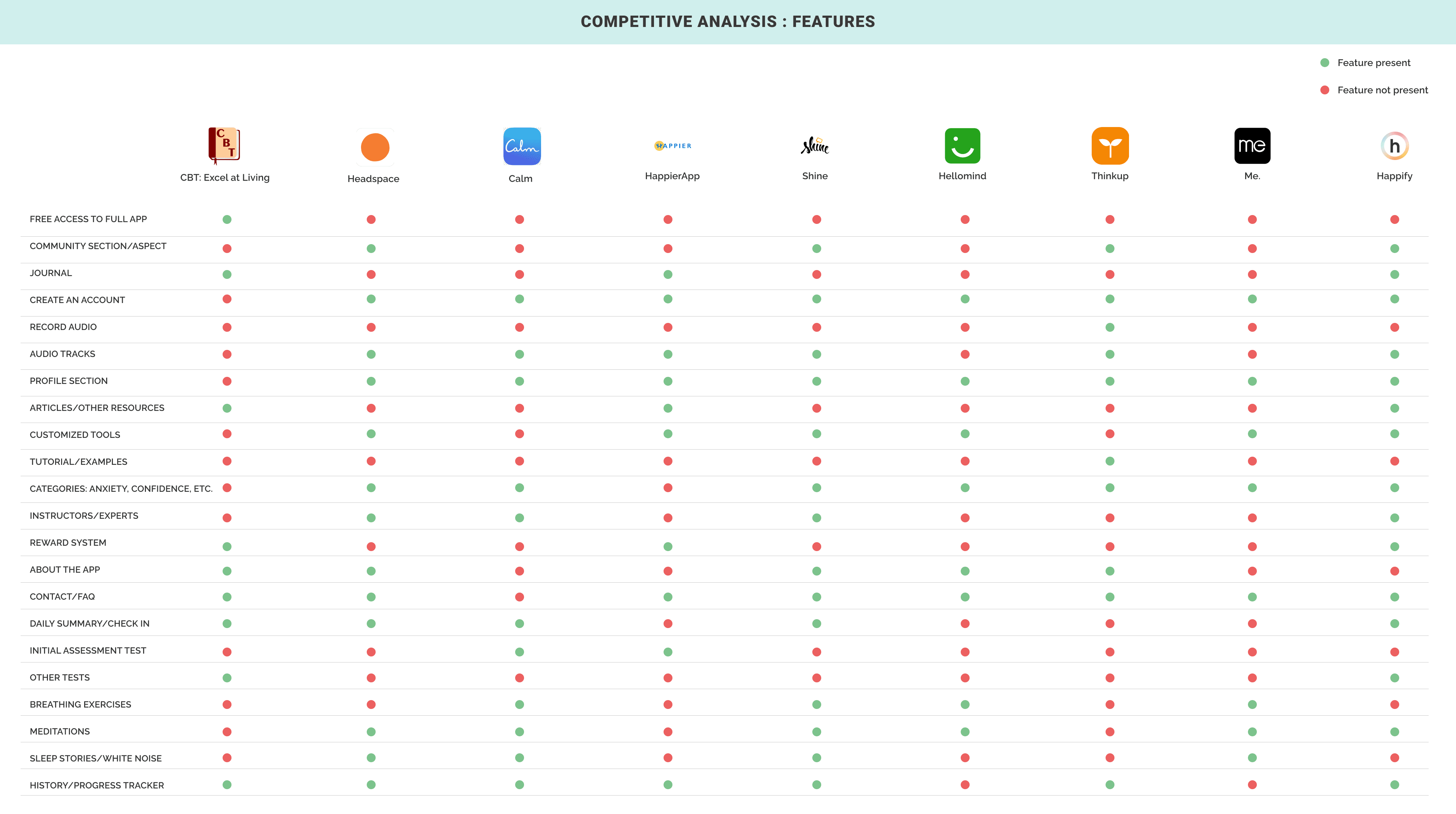
Feature comparison across apps, identifying core functionalities and opportunities for differentiation.
I conducted interviews with five participants (ages 20–30) who had prior experience using mental health apps and experiencing low self-esteem.
An interview guide was created to ensure consistency, and detailed findings are documented in the full report.

"Mental health apps often ask for your payment information and charge you after the trial, which makes me not ever want to try them"
- J, 26, Singapore
I think like I like things that are no pressure, no commitment. If I miss out on a daily streak, I feel bad about myself.
- K, Singapore, 23

"I don't want to go in (the app), feel overwhelmed and have to choose all these different routes (exercise, gratification, etc.)
- M, 29, America

“I just need somebody else on the other side to listen"
- T, 30s, America
Refined Problem Statement
Initial framing focused broadly on the stigma surrounding low self-esteem and mental health. Through user interviews, the problem became more specific: users primarily cope by seeking human connection, yet access to support is often limited by cost.
How might we design an accessible solution that enables users to connect, share openly, and receive support in a low-pressure environment?
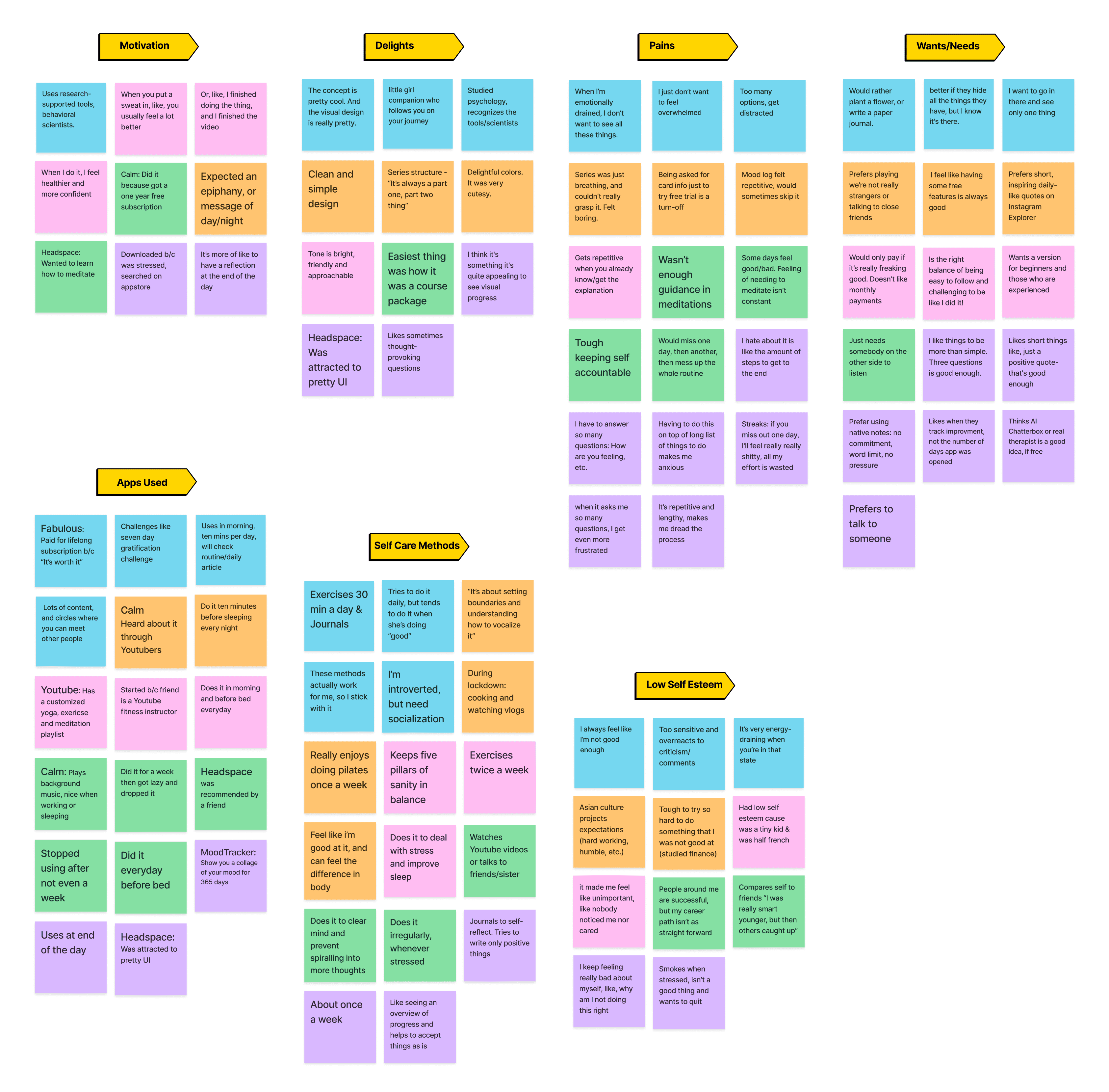
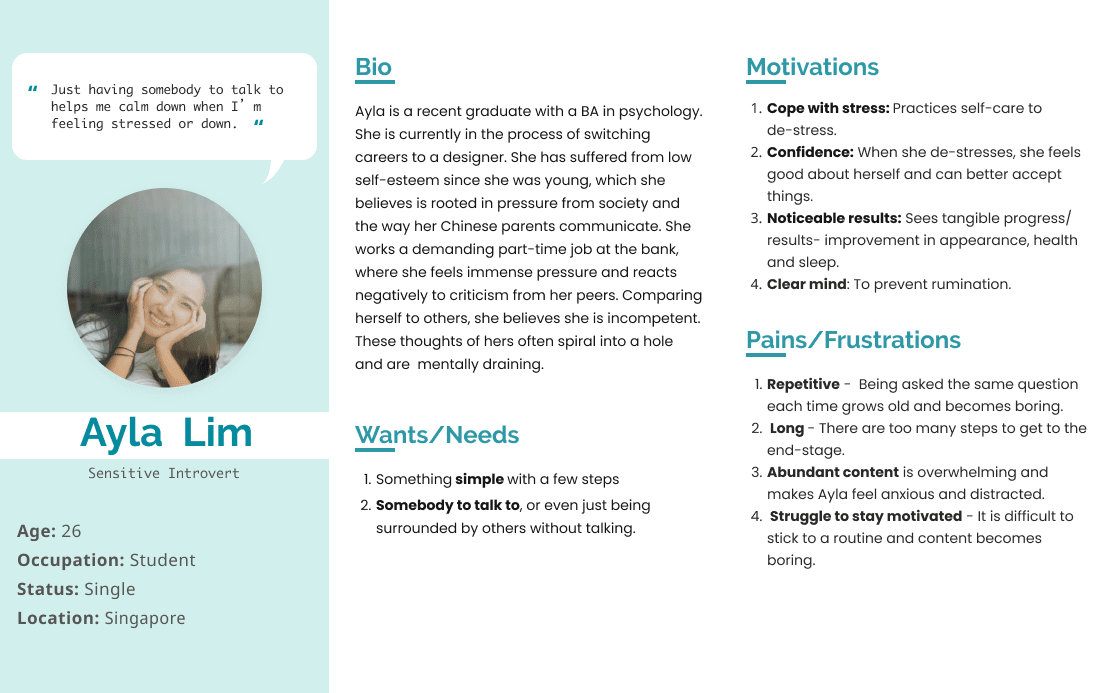
I synthesized interview data through affinity mapping to identify key patterns and themes across participants. These insights informed the development of a primary persona, representing core user needs and behaviors.
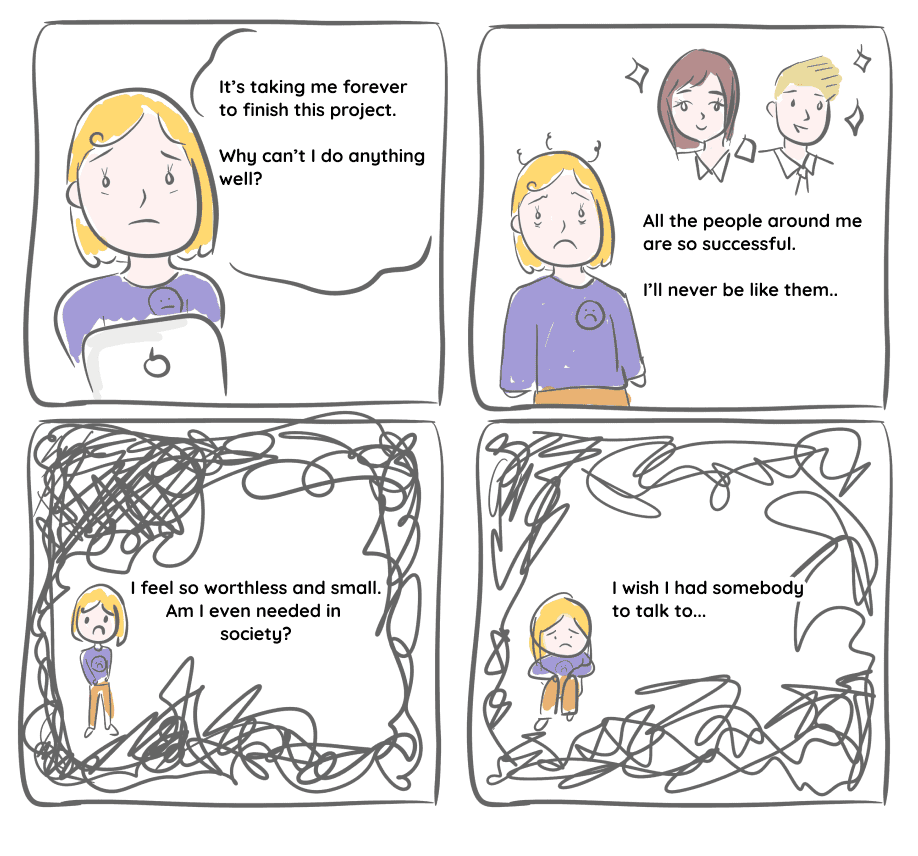
I also created a storyboard to further explore the persona’s context, challenges, and opportunities for intervention.
I defined the app’s information architecture by mapping key features and screens, ensuring alignment with user needs and product goals.
Guided by research insights and the persona, I prioritized core features that support simple, low-pressure interaction, namely community and real-time chat to enable users to connect with others.
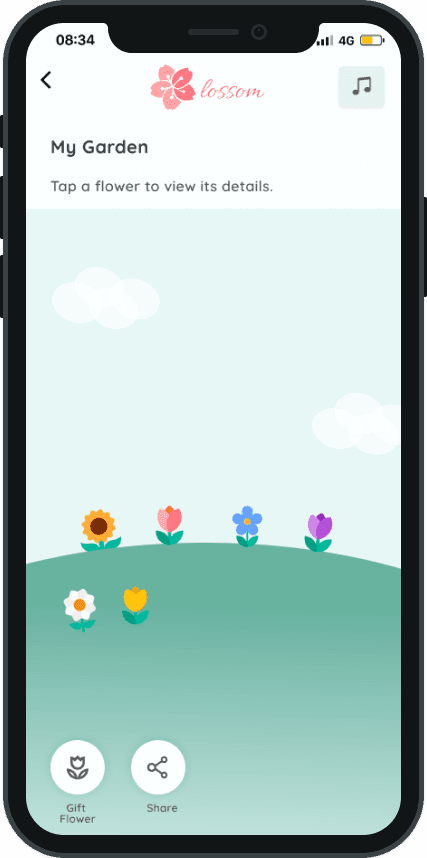
Drawing from user and competitor insights, I introduced a “virtual garden” concept to reinforce a sense of growth and positivity, aligning with common associations between nature and mental wellness. This direction informed both the feature set and the overall product identity, including the name Blossom.
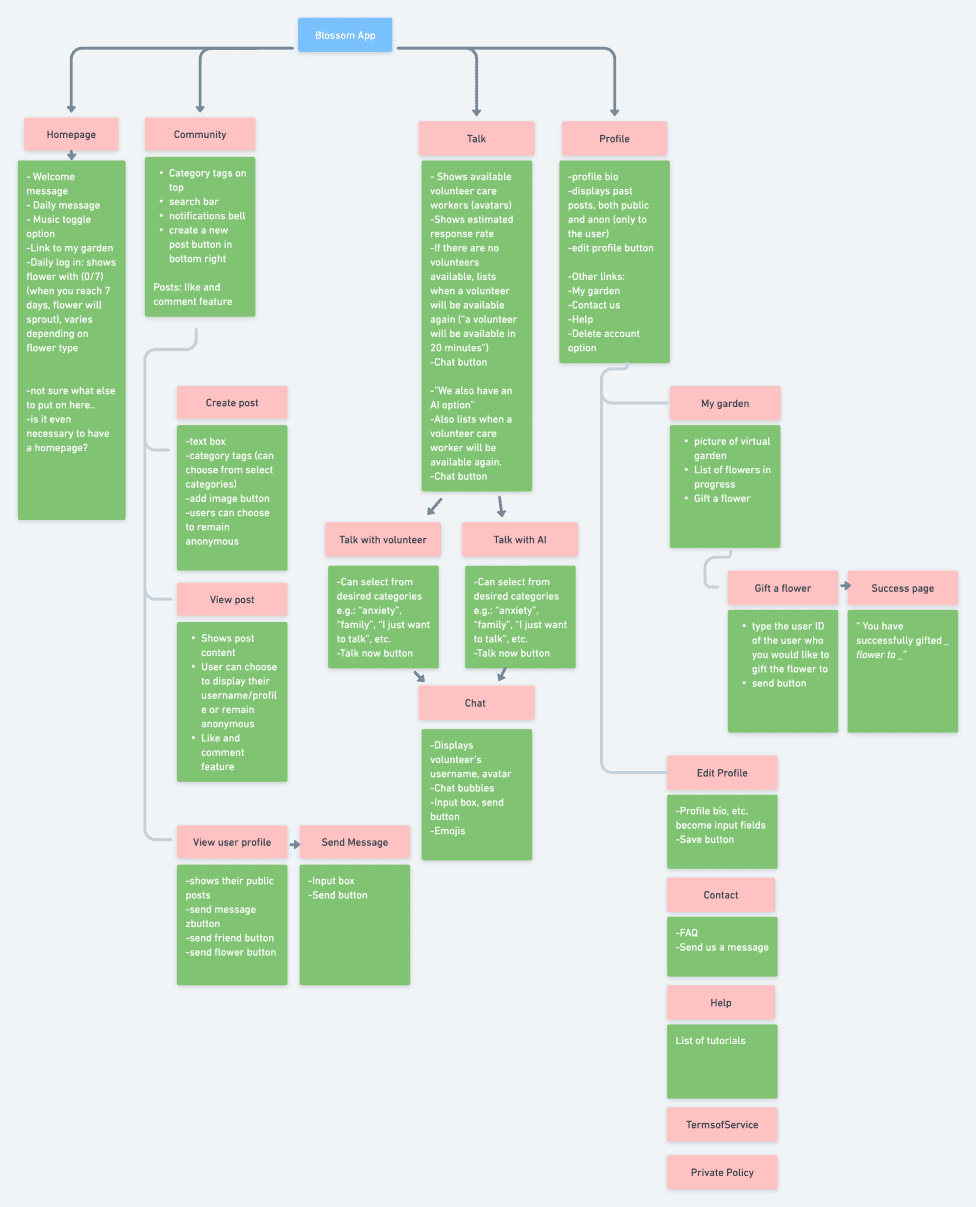
Information architecture outlining key features and screen hierarchy.
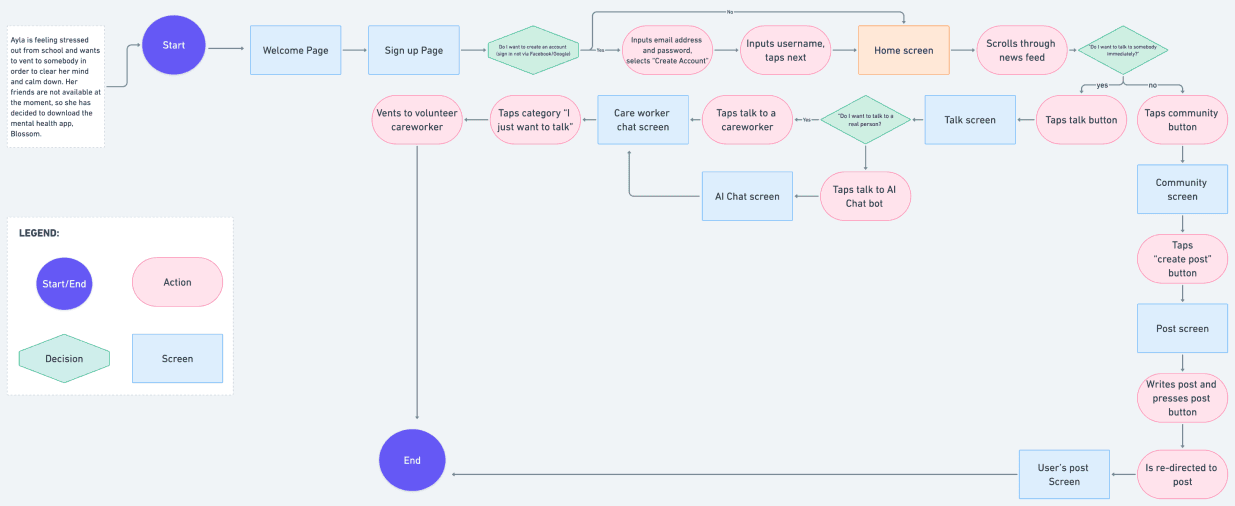
Based on the persona’s needs, I defined key user flows focused on enabling users to seek support quickly and easily. These flows center on two primary actions: engaging with the community through posts and connecting with volunteer care providers via real-time chat.
Information architecture outlining key features and screen hierarchy.
Based on the persona’s needs, I defined key user flows focused on enabling users to seek support quickly and easily. These flows center on two primary actions: engaging with the community through posts and connecting with volunteer care providers via real-time chat.
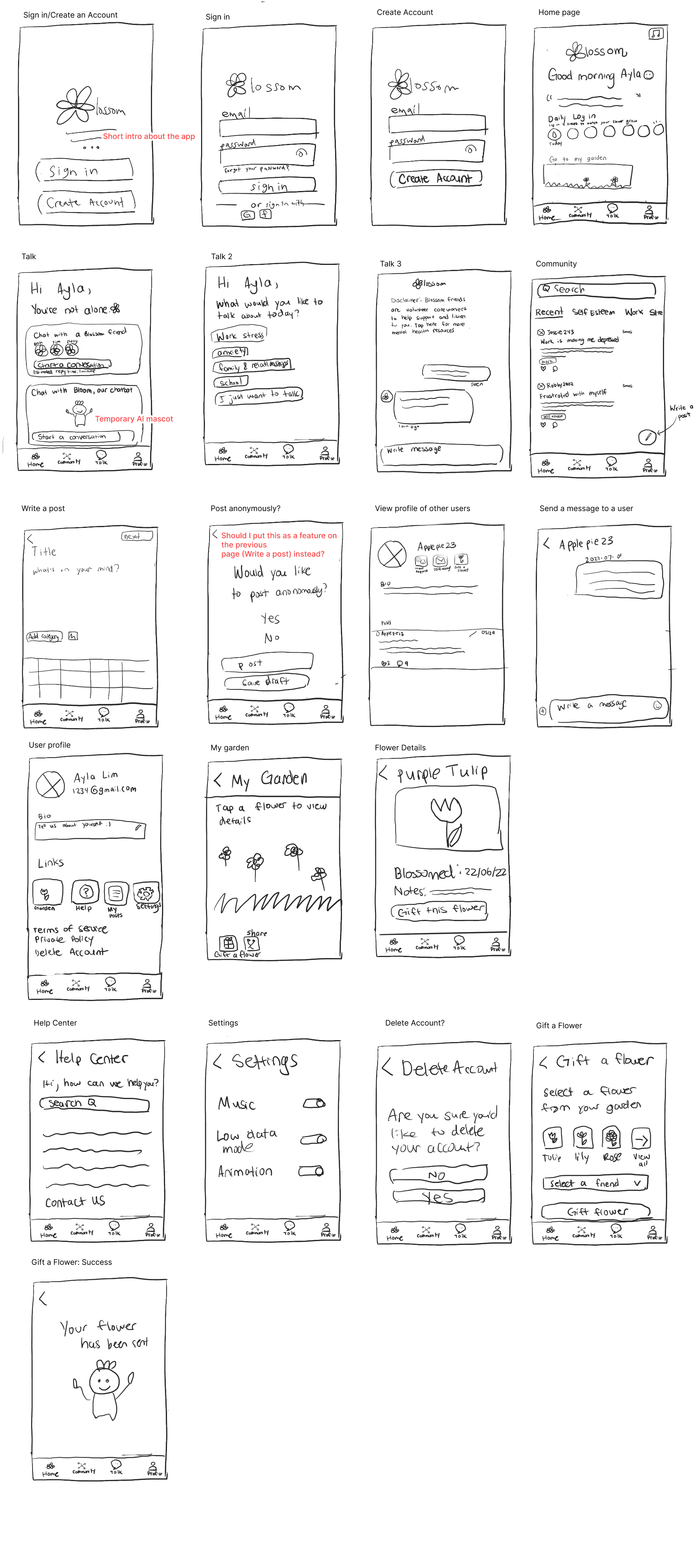
Early sketches exploring layout, structure, and key interactions.
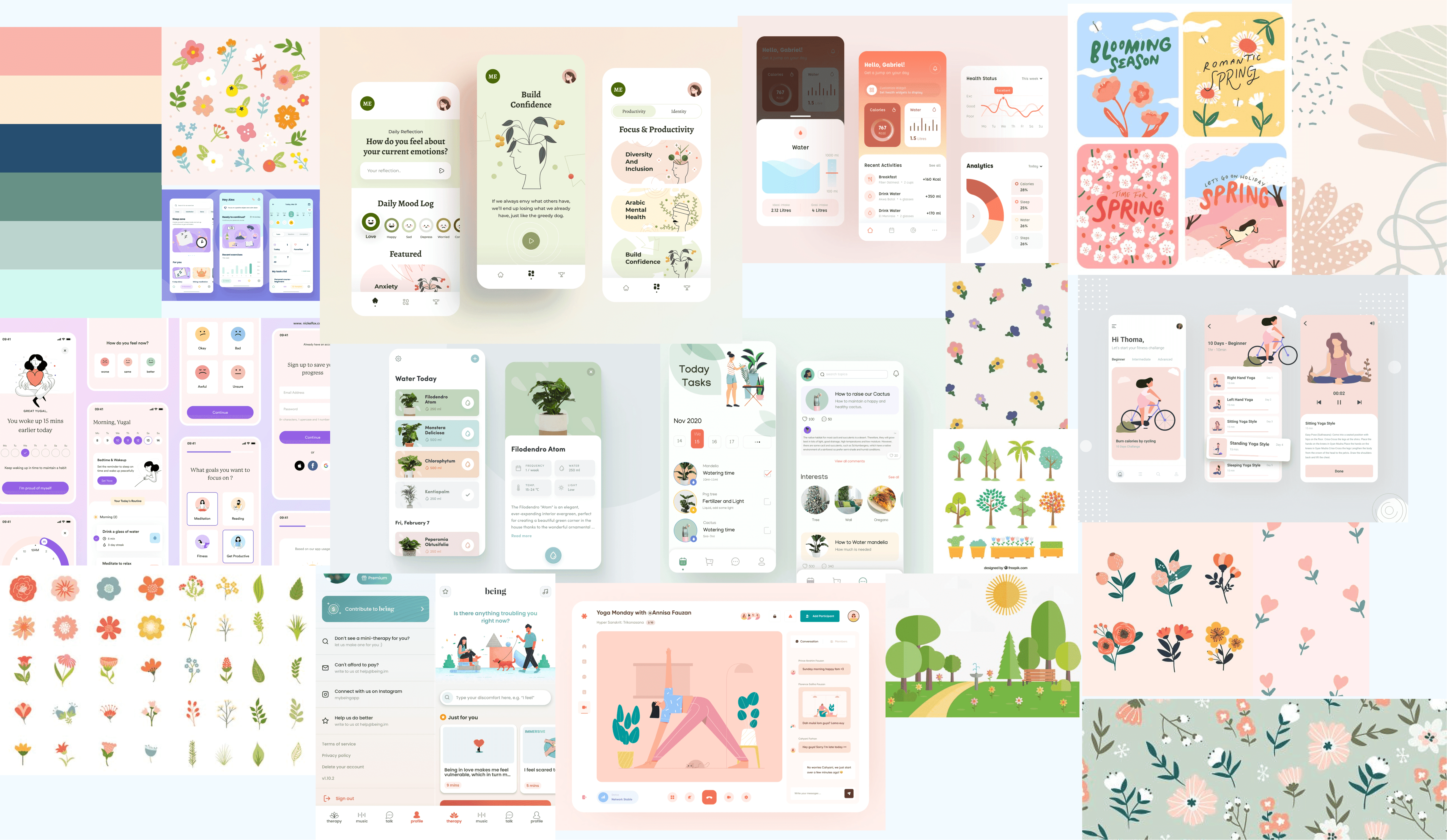
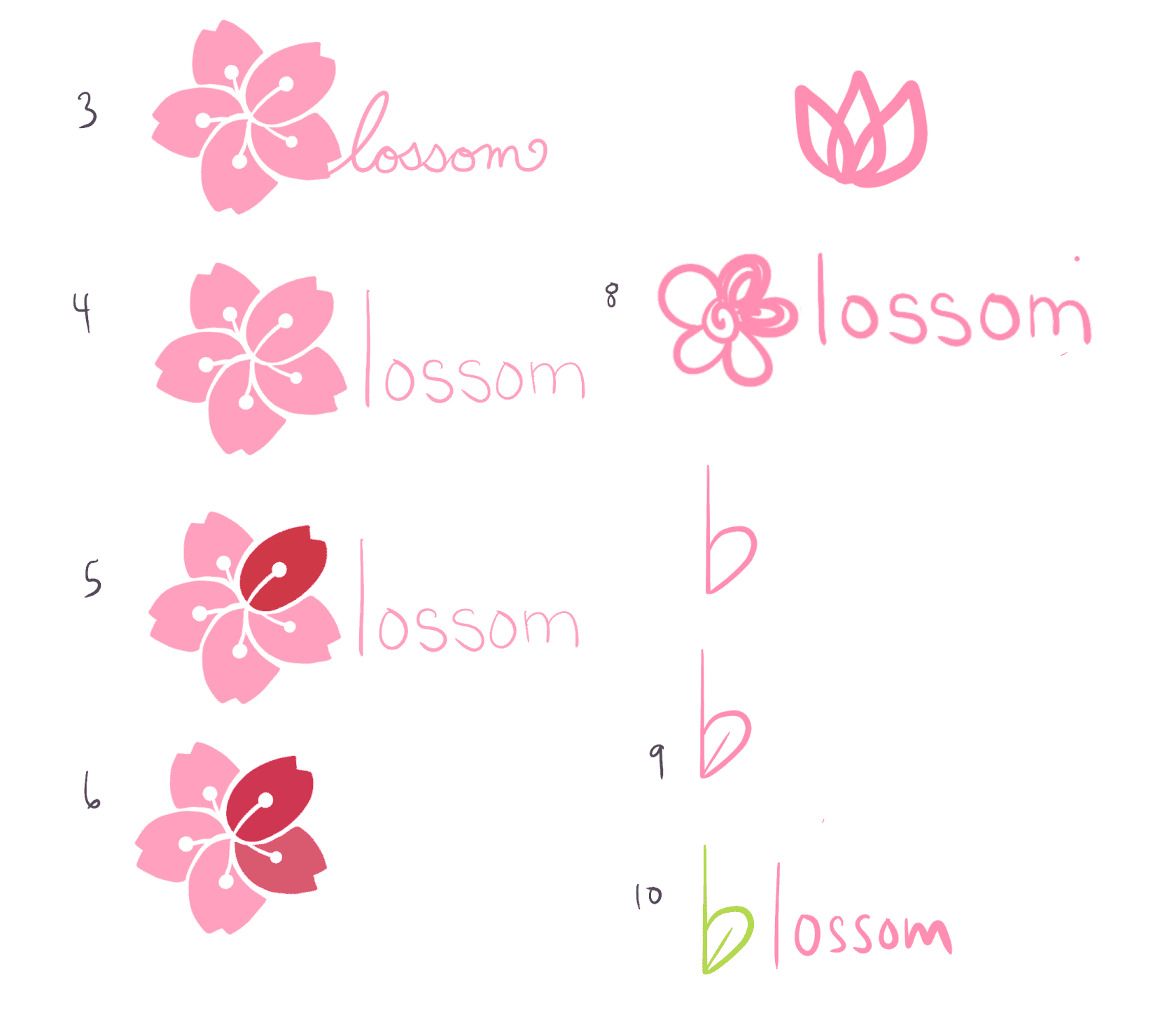
I established the visual direction through a mood board, defining tone, color, and overall aesthetic. In parallel, I explored logo concepts to align with the app’s identity and reinforce its theme of growth and positivity.
I translated initial concepts into mid-fidelity wireframes, refining structure and key user flows.
Key Changes
Removed the AI chatbot concept due to limited user validation and the need for further research
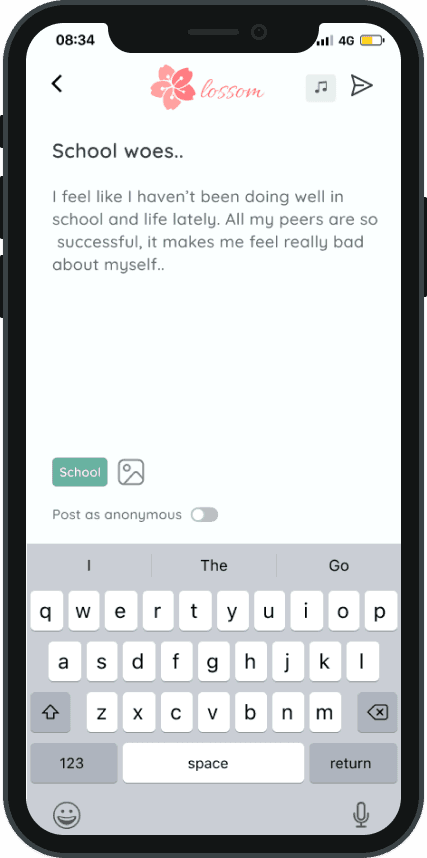
Simplified posting by integrating the “post anonymously” option directly into the compose screen
Eliminated the temporary mascot to maintain a clearer, more focused experience
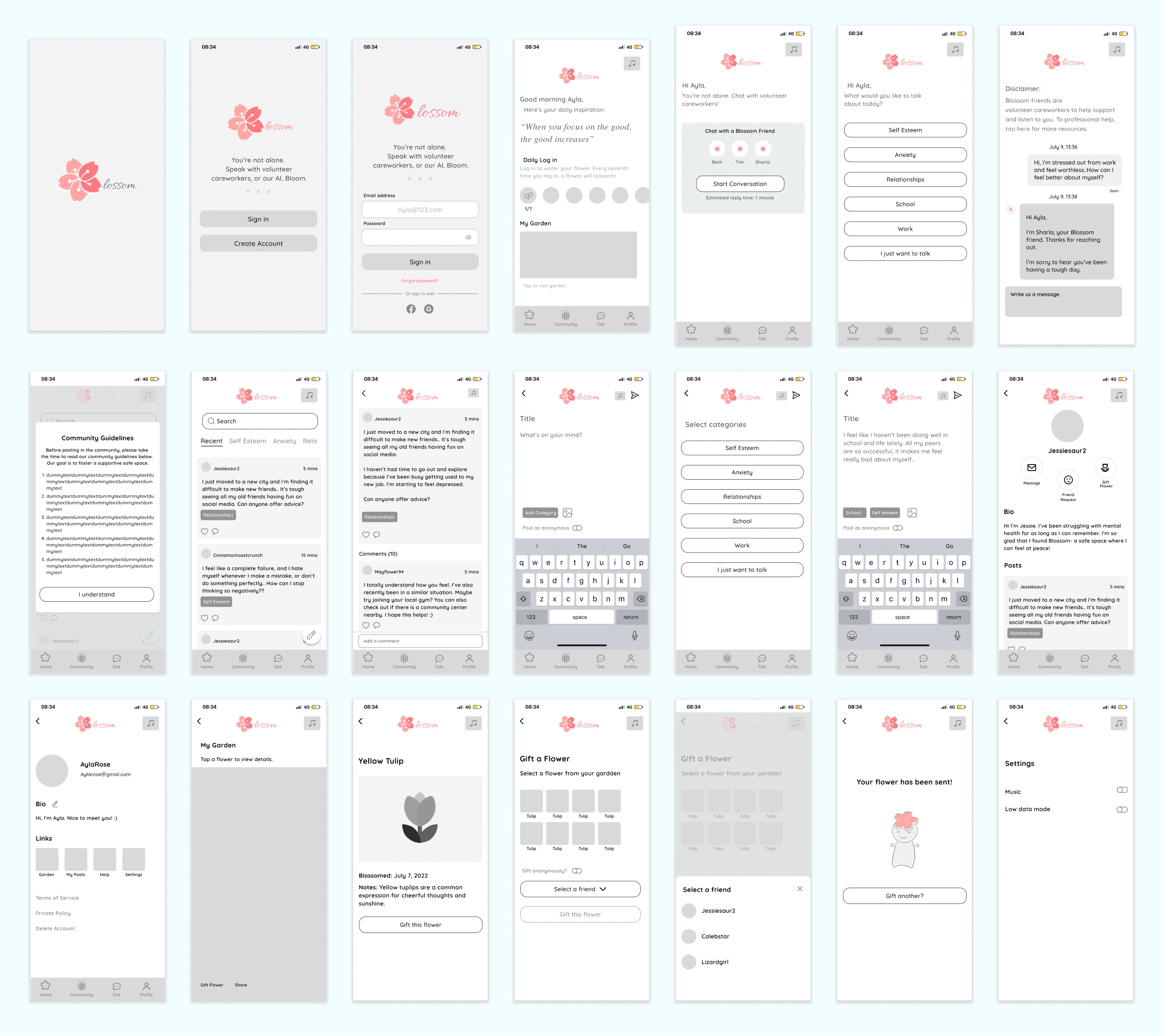
Iteration from initial concepts into structured mid-fidelity wireframes.
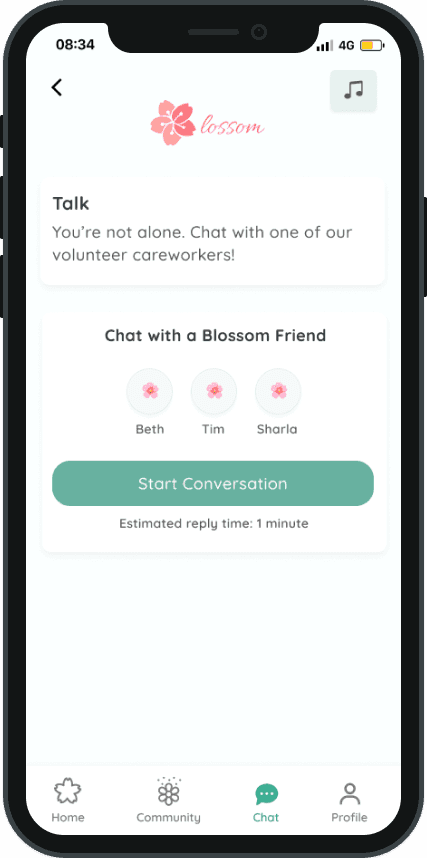
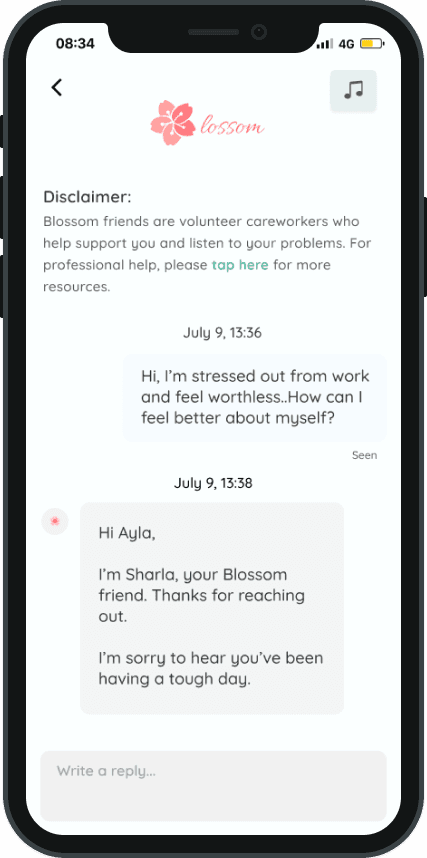
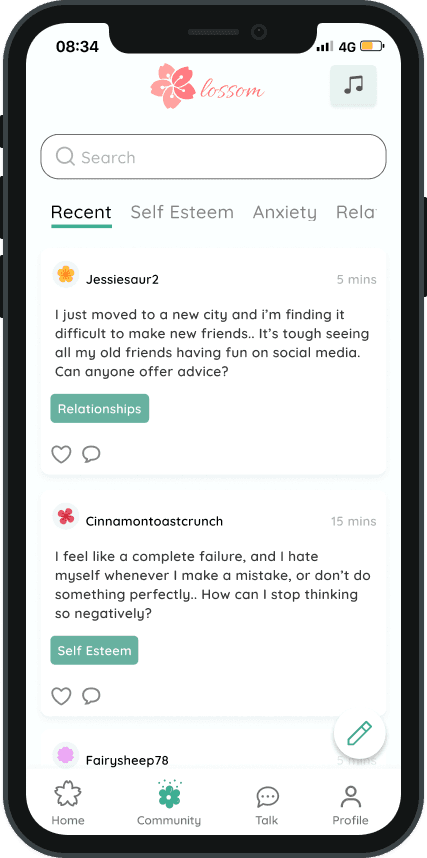
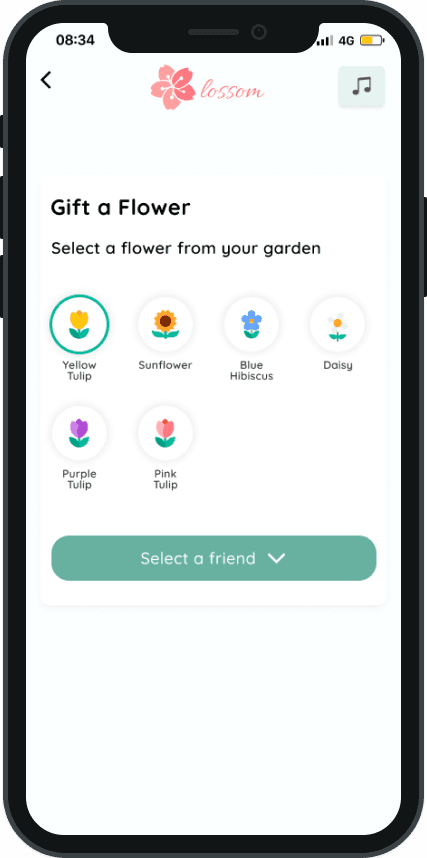
I translated mid-fidelity wireframes into high-fidelity designs and developed a clickable prototype to test key user flows.
Chat with Careworkers
Share your thoughts with others
Gift flowers to friends
Following usability testing, four key pain points were identified. The corresponding design revisions are outlined below.
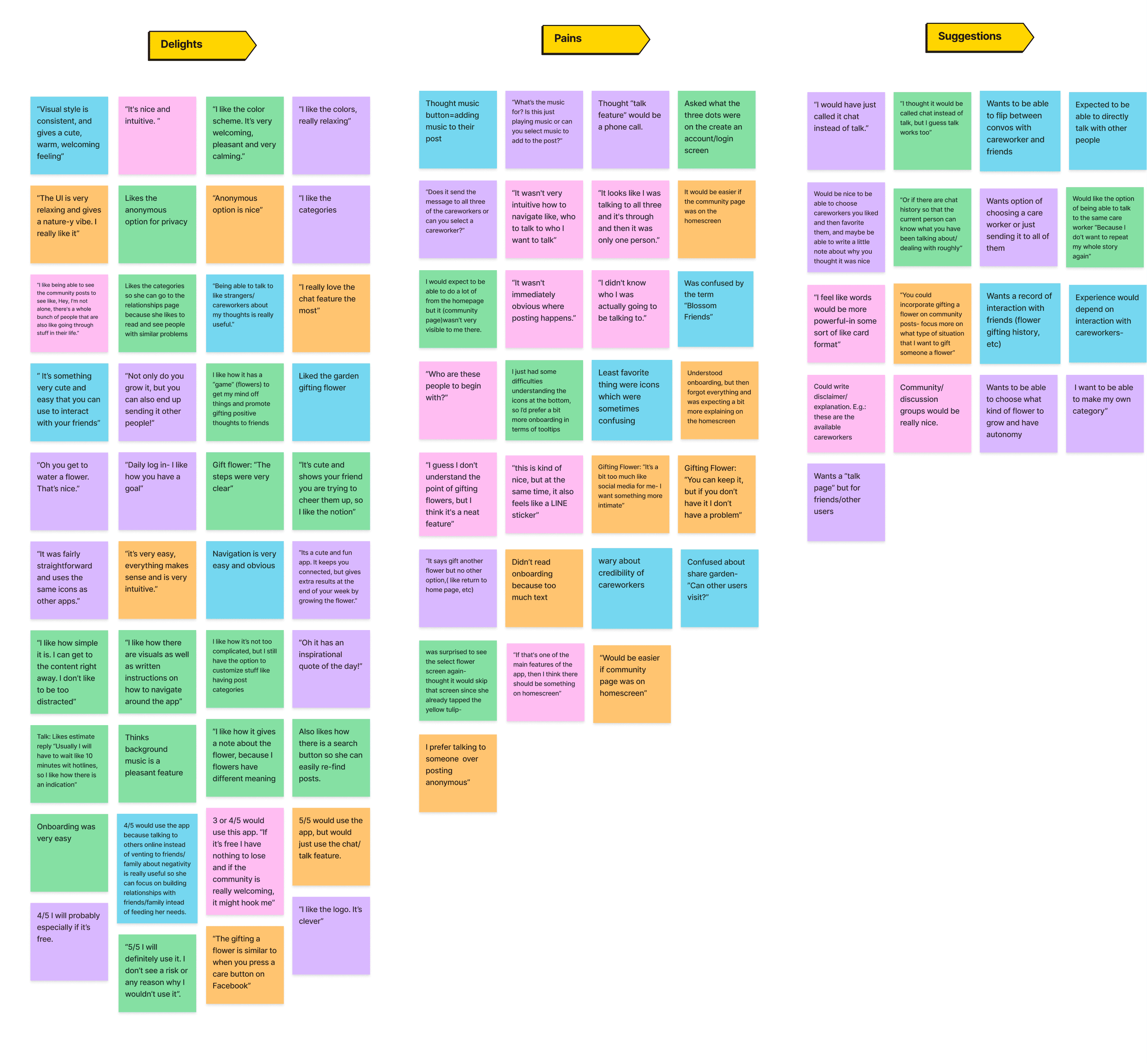
Affinity mapping used to identify patterns and group user insights from research and testing.
I conducted usability tests using scenario-based tasks to evaluate the prototype and validate key features.
Findings were synthesized through affinity mapping and prioritized using a matrix based on frequency, impact, and implementation effort. This process highlighted key pain points and opportunities for improvement, enabling a clear roadmap for iteration.
Key Findings
Users responded positively to the overall experience, particularly the calming UI and welcoming tone
The virtual garden and flower feature was well received, adding a sense of positivity and light engagement
Categorized community content helped users find others with similar experiences
Some users struggled to locate key actions, such as creating a post, indicating a need for clearer navigation
Users expressed interest in more personalized interactions, including the ability to choose care providers and enhance social features (e.g., gifting)
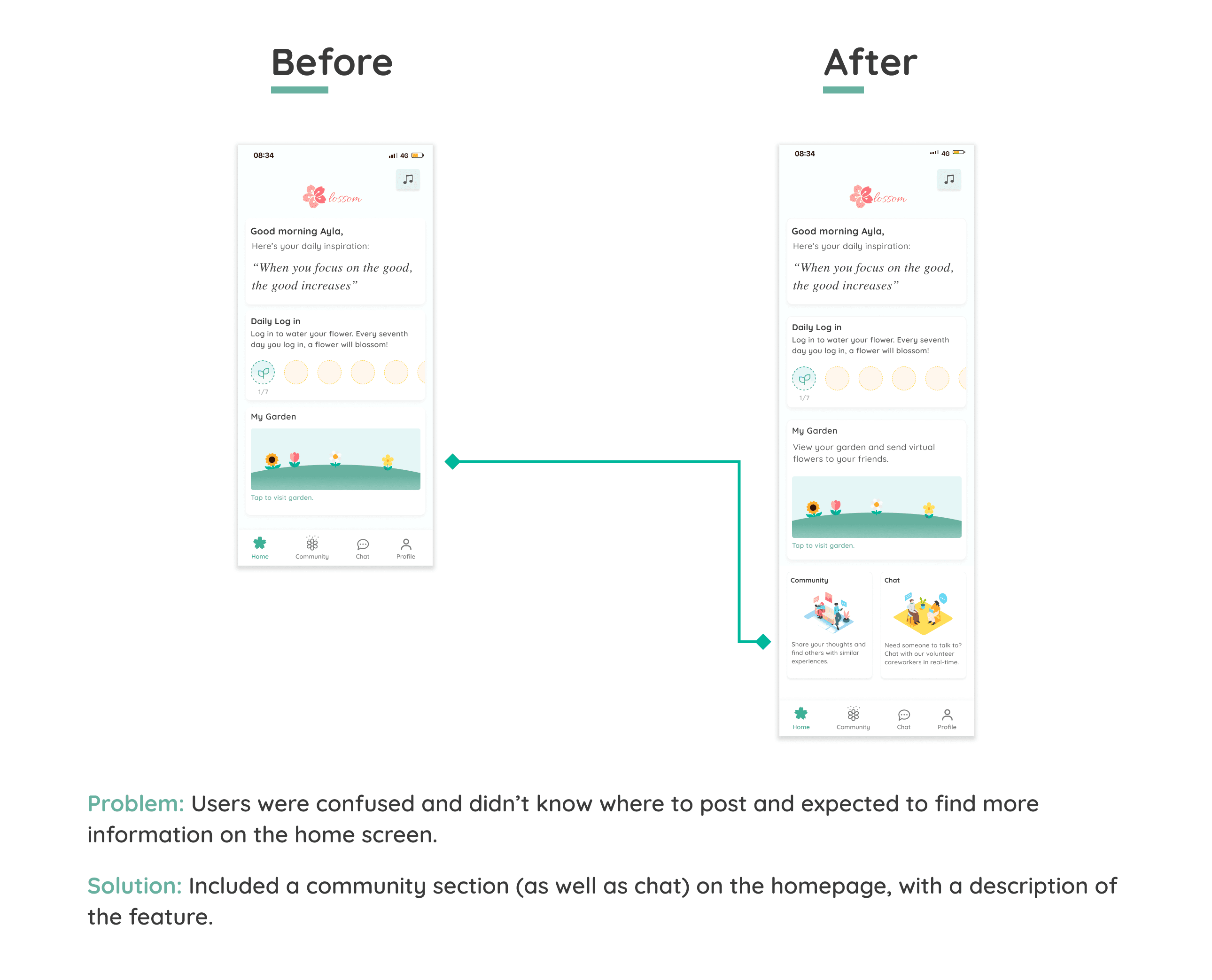
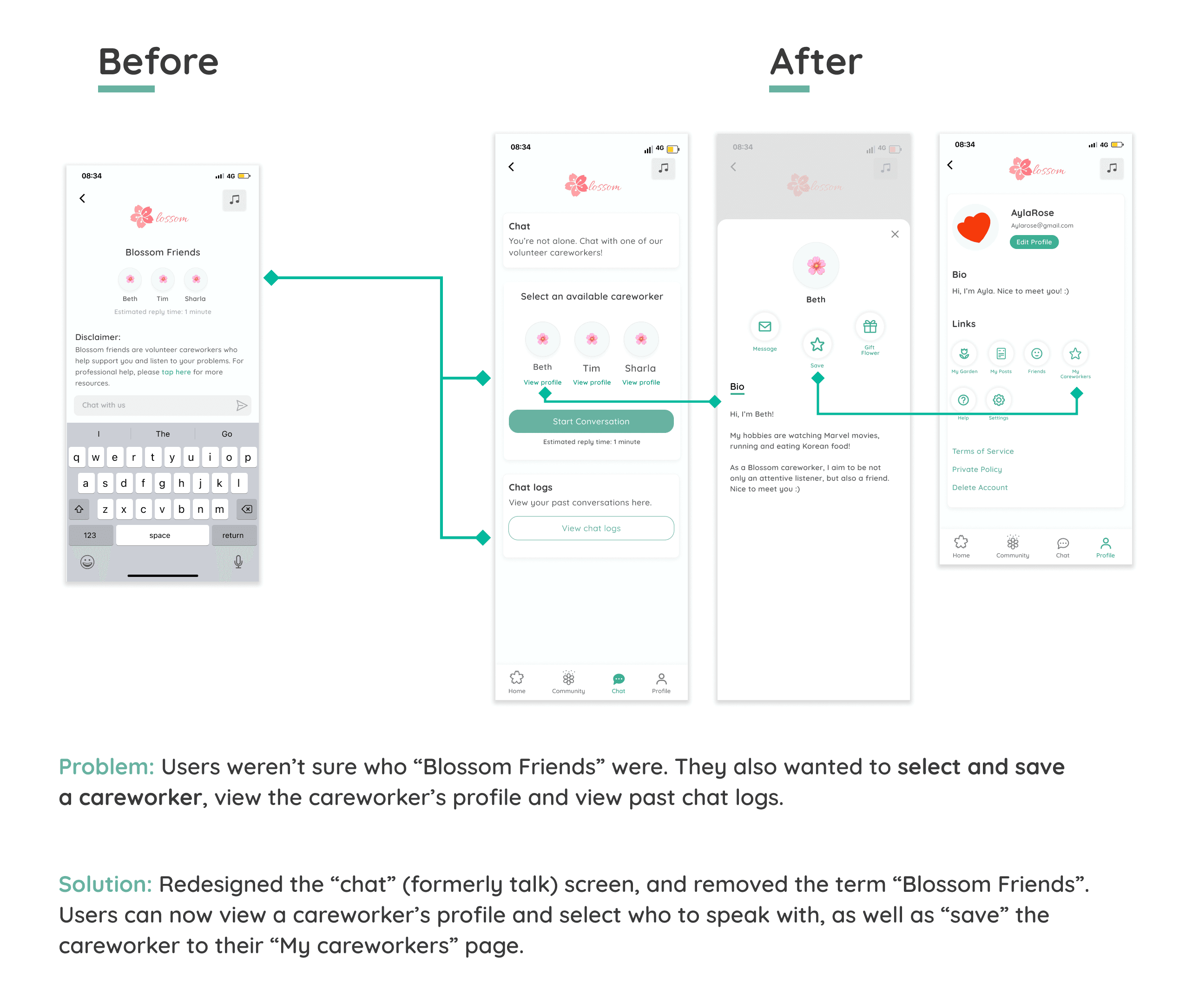
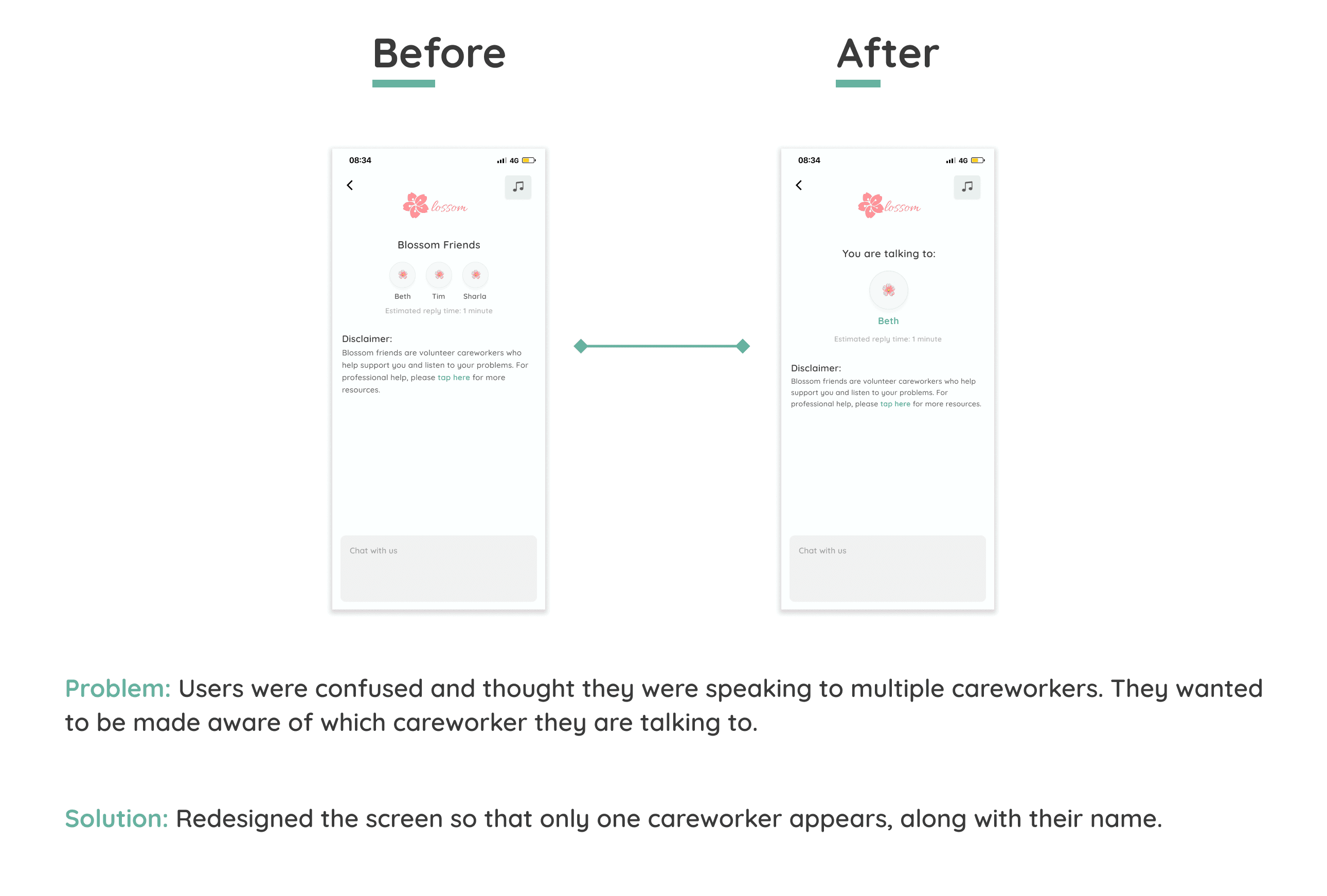
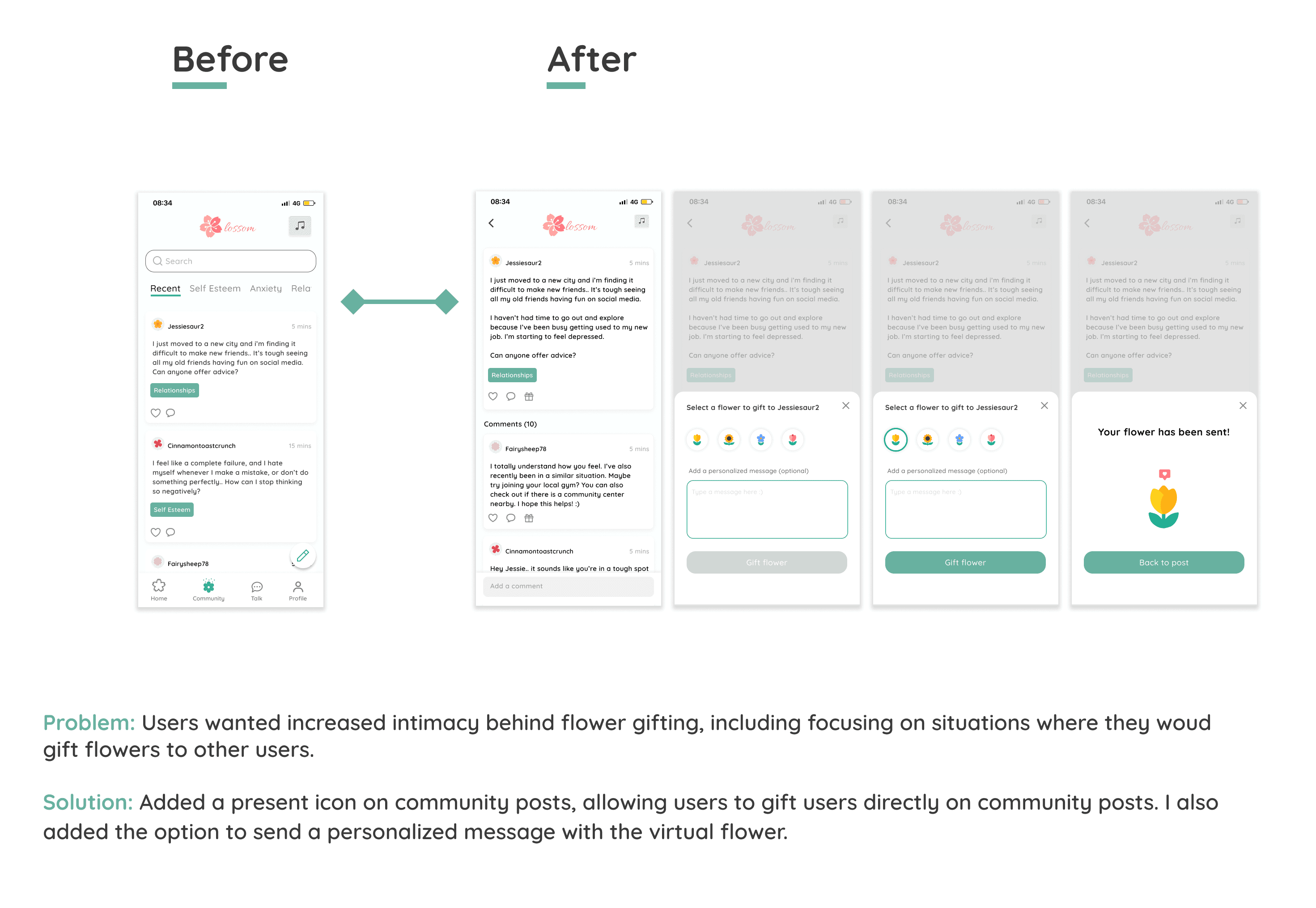
Following these iterations, the designs were finalized and prepared for handoff. View the complete prototype below.
Designing for mental health highlighted the importance of meeting users where they are. While initial concepts focused on self-affirmation, research revealed that many users primarily seek human connection, reinforcing the need for simple, low-pressure ways to talk and share.
A key challenge was designing within a space where users often prefer to disconnect from technology. To address this, I focused on creating a calming, nature-inspired experience that feels supportive rather than overwhelming, balancing simplicity with moments of positive engagement.
What I would improve
With more time, I would expand the research sample to validate insights and strengthen design decisions.
Next steps
Further validate revisions through usability testing and continue iterating on features, including tools for volunteer care providers.
© 2026 Crystal Ma. All rights reserved.